 MC Build Studio
Build on your own land
Import a piece of your world or a schematic, and the AI builds onto that terrain: foundations stepped into a slope, stilts on steep ground, paths that follow the hill. It only ever reads your world folders.
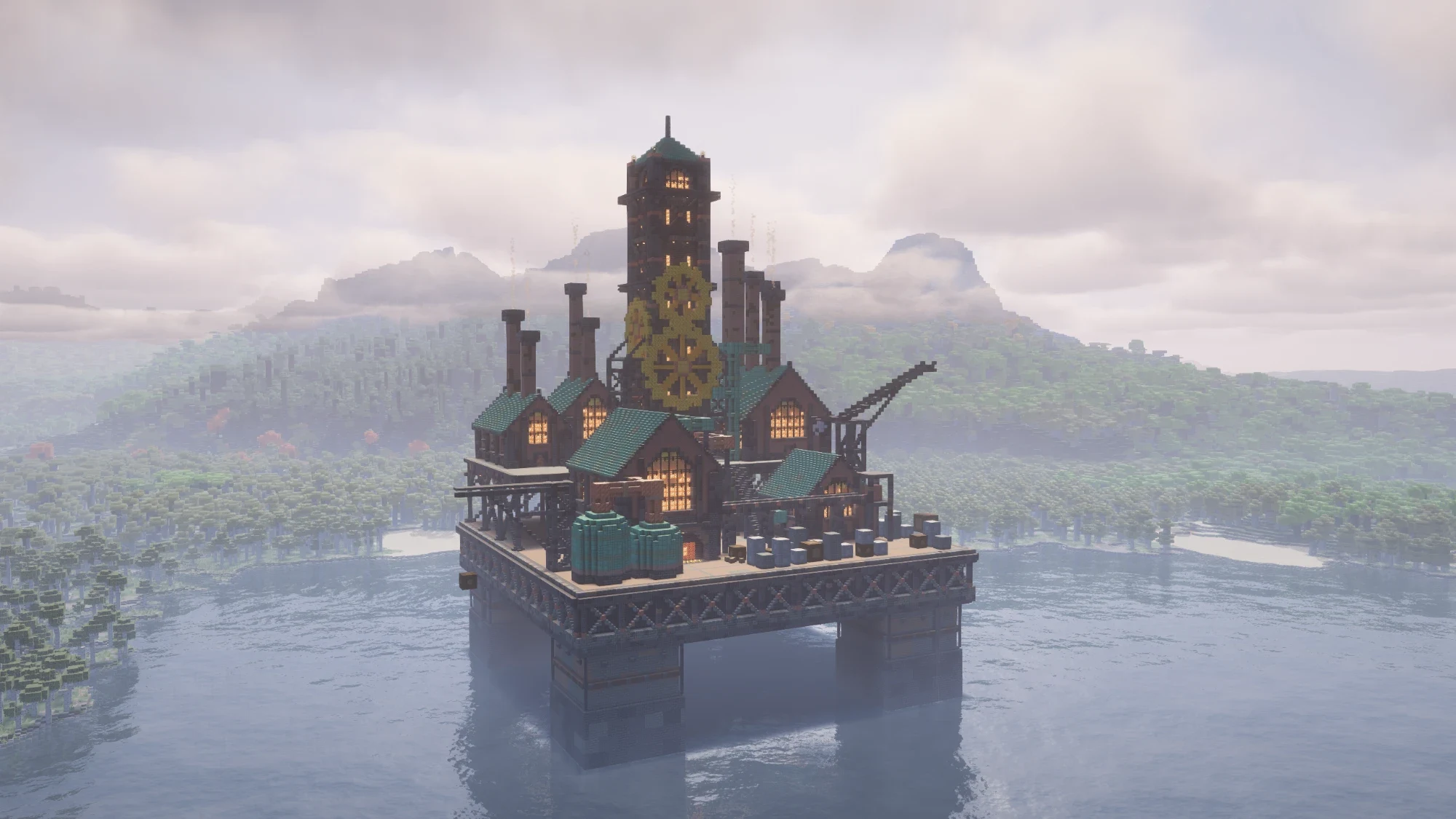
Your own Claude or ChatGPT builds it in Minecraft blocks, part by part, with real interiors. Check it in 3D, then paste it into your world.
Built in MC Build Studio, shown in-game with a shader pack.
Type what you want, or drop in reference pictures. Pick the Minecraft version your world runs on.
Your AI plans the build and places it part by part: shell, roof, each room, landscape. You see every block arrive in the 3D view.
The AI takes screenshots of what it built, looks for floating blocks, backwards stairs and dark rooms, then fixes them.
Walk through it first. Then export a file and paste it in with WorldEdit, Litematica or a structure block.

Before it places a block, the AI plans every room. When a room is done, it looks inside with a cutaway view and fixes what it finds.
Import a piece of your world or a schematic, and the AI builds onto that terrain: foundations stepped into a slope, stilts on steep ground, paths that follow the hill. It only ever reads your world folders.
Attach reference images and the AI matches their style, colors, proportions and layout.
Choose any Java release from 1.20 to 26.3. The AI only gets blocks that exist in that version, so nothing goes missing when you paste.
Orbit, fly, or walk through at player height, ladders included. Slice through floors with a cutaway, and hide rooms you are not working on.
Ask for a different roof and it rebuilds that part. Each step undoes on its own, and you can place blocks by hand from the full palette.
The app and your builds live on your PC, in your Documents folder, and we never receive them. What you send the AI goes to Anthropic or OpenAI under your own account.
Every export comes with the exact paste command. Builds made on your own terrain go back in the same spot.
| File | Works with | In the game |
|---|---|---|
.schem | WorldEdit, FastAsyncWorldEdit | //schem load name |
.litematic | Litematica | Load the schematic, then place it |
.nbt | Structure block, /place | /place template minecraft:name |
The subscription pays for the app. The AI runs on your own Claude or ChatGPT plan, so there are no credits to buy from us.
$9 a month, plus tax where it applies
Not on sale yet. One email when it opens, nothing else.
Yes. The app uses your own paid Claude plan (Pro or higher), or a ChatGPT plan that includes Codex. You sign in with that account and no API key is needed. Builds count against your plan's usage, so a big build uses more of it.
Both work. In our tests Claude furnished interiors more fully, and ChatGPT finished a little faster.
A furnished house took about 8 to 12 minutes in our tests. Bigger projects take longer, and you can watch the whole time.
Java Edition, from 1.20 to 26.3. You need your own copy of Java Edition. Bedrock is not supported.
It builds with vanilla blocks. You can still paste a build into a modded world with WorldEdit or Litematica.
It reads a world when you import terrain, and it never writes to one. You decide when and where to paste.
Not yet. It needs Windows 10 or 11.
The AI does. The license checks in every few days, and the app keeps working for 7 days if it cannot reach us.
You cancel on Link, Stripe's checkout service, and keep access until the end of the month you paid for. Then the app locks. Your builds and exported files stay on your PC.
Two at a time. You can move a license between PCs yourself.
No. MC Build Studio is independent and not affiliated with them.